v19.0 [Feb 25, 2019]
-New embedded media settings
New embedded media settings in the Saving preferences let you select a specific location for your media files locally and preserve their original file paths. You can also enable a warning that appears before saving a scene with embedded files.
Reduce file size with Clean Up Scene
-A new tool, Clean Up Scene, has been added in the File menu to let you remove empty or unused assets from your scene. This helps you organize your scene and reduce file size. See Reduce file size with Clean Up Scene.
Translation tool updates
-The following improvements have been made to the translation tool:
Translate objects in local relative space: You can now move multiple objects in their own respective local space using the translation tool. Instead of applying to all of the selected objects like a global translation, the local translation only applies to the object with the translation handle. See Viewer window Manipulation and Transformation mode tools.
Parent Reference Mode: Lets you translate an object along the axes of the object's parent. See Viewer window Reference mode tools
-Baking Improvements
The following new options are now available in the Plot All Properties window:
Plot Aux Effectors: When turned off, this option prevents auxiliary effectors from snapping their position onto their related effectors when plotting to the Control Rig.
Evaluate Deformation: When turned on, allows deformation during the baking process.
-Control automatic popup of Character Controls
-A new option in the Application.txt config file lets you control when the Character Controls opens. By default, the Character Contols opens automatically when a new character or actor is loaded. Set the new PopUpCharachterControlonce option to No to disable this behavior.
Control Human Finger Limits default value
-A new Human Finger Limits preference (Settings > Preferences > Character) has been added to control the default value of the Character's HumanFingerLimits property value when creating a new character. The preference is turned off by default See Character preferences.
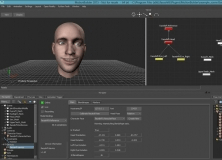


It makes the faceshift channels accessible in motion builder as a device.